
Hexo主题-butterfly
人生苦短,我用butterfly。相比于其他的主题,butterfly主题相当成熟。按照其官网文档就可以将博客配置的非常漂亮。
主题安装
https://butterfly.js.org/posts/21cfbf15/ ,完全可以参考主题官网的文档进行。
1 | cd myblog |
配置文件修改
1 | # 使用中文简体字 |
要在博客目录底下的source目录中新建img文件夹,把对应的图片放入到img文件夹内就可以达到图片设定效果。
生成目录和标签
1 | 1. 创建标签页面 |
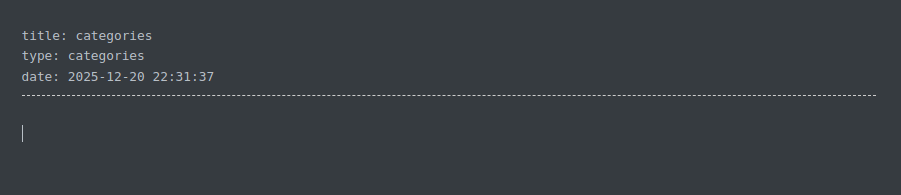
然后去打开source/categories/index.md,在文件格式中加入type: categories。去打开source/tages/index.md,在文件格式中加入type: categories。

1 | 清除缓存,然后重新生成并运行 |
本博客所有文章除特别声明外,均采用 CC BY-NC-SA 4.0 许可协议。转载请注明来源 光伏全栈程序猿!
相关推荐

2025-12-19
Nodejs的安装
安装Nodejswindows系统 直接在浏览器打开Nodejs官网下载对应的最新LTS版本安装即可https://nodejs.org/zh-cn ,安装之后使用命令行运行node -v进行检查是否安装成功。 Linux系统 对于Linux系统可以下载对应的rpm包(红帽系)或deb包(Debian系)进行安装,博主使用的是Ubuntu系统故直接下载deb包进行安装或者使用命令行进行安装。 1sudo dpkg -i node.deb #安装包方式安装,具体您下载的包名来替换node.deb 1sudo apt-get install nodejs #使用系统源进行安装nodejs 更换npm源 安装nodejs完成之后,我们就可以使用npm进行管理nodejs依赖和模块,但是npm的默认源是官方源,我们需要将其改成国内的大厂源,这样我们在下载模块的时候速度就顺畅很多了。 1234#查看当前的源信息:https://registry.npmmirror.com/npm config get registry #配置为阿里云的源npm config set ...
2025-12-26
为博客加入百度站长推送
我们将自己的博客信息主动报给百度搜索资源平台,能够具备很多优势。百度收录了我们的资源信息后,其他人使用百度搜索相关的关键字后我们的资源才有较大的可能被别人搜索到。 核心价值 快速收录:技术文章时效性强,必须快速被搜索到 精准流量:吸引真正需要你技术内容的读者 专业认证:在百度体系中建立技术权威形象 零成本高回报:30分钟配置,长期受益 注册百度搜索资源账号 首先打开百度搜索资源平台网址,如果已经有百度账号则直接关联即可,没有则需要进行注册百度账号。 注册完成后需要在搜索资源平台的站点管理中添加我们的站点。 站点验证,百度会提供给我们验证码或者一个相关网页的形式让我们进行验证。 我的博客是选择了百度网页,直接下载这个网页放到hexo博客的sources目录下。下次打包生成的时候会把这个html打进去,这样部署到服务端进行验证即可通过。 引入插件在博客目录中引入hexo-baidu-url-submit插件模块,这样我们的博客就具备推送功能了。 123$ pnpm install hexo-baidu-url-submit --save $ pnpm install hex...
2025-12-19
Hexo的安装
安装 Hexo对应的hexo官网的文档教程是非常完善的。https://hexo.io/zh-cn/docs/ 。 所有必备的应用程序安装完成后,即可使用 npm 安装 Hexo。 12$ npm install -g hexo-cli# 如果发现网速很慢,Name需要参考上一篇文档来切换npm源或者使用pnpm来进行提速。这很重要。 此时最好不要按照官网教程去只安装hexo,这会给新手带来很多困难,可能会有很多包没有同时进行导入。 Node.js 版本限制如果你坚持使用旧的 Node.js,你可以考虑安装 Hexo 的过去版本。 请注意,官方不提供对过去版本 Hexo 的错误修复。 官方强烈建议永远安装 最新版本 的 Hexo,以及 推荐的 Node.js 版本。 Hexo 版本 最低版本 (Node.js 版本) 最高版本 (Node.js 版本) 8.0+ 20.19.0 latest 7.0+ 14.0.0 latest 6.2+ 12.13.0 latest 6.0+ 12.13.0 18.5.0 5.0+ 10.13.0 12.0.0...
2025-12-21
Hexo博客插图设置
我们使用Typora等markdown编辑器编写博客时,总是想要图文并茂地生成内容,这就免不了进行对文章配图。如果我们把图片直接复制到文章中,实际生成文章html时图片是不存在的。因为我们引用的的是本地的图片路径,在html中是无法进行展示的。下面几种方式能够解决这个问题,让我们在生成对应的html时正确加载图片。 方案一:使用 Hexo 官方“资源文件夹”(推荐)这是最规范的方法,通过配置让每篇博文都有一个专属的资源文件夹。 启用资源文件夹打开 Hexo 根目录下的 _config.yml 文件,找到并修改: yaml 1post_asset_folder: true 组织你的图片此后,当你使用 hexo new 文章标题 命令创建新文章时,Hexo 会自动在 source/_posts 文件夹下创建一个与文章同名的文件夹(例如 文章标题.md 对应 文章标题/ 文件夹)。把你文章需要用到的所有图片都放入这个文件夹中。 在 Markdown 中引用图片在文章 Markdown 文件中,使用 标签插件 语法引用图片,而不是标准的 ![]() 语法: m...
2025-12-20
Hexo的命令详解
官方文档的命令详解已经非常详细,下边的大篇幅内容都是源自官方的doc文档,基于文档边看边练就能熟练搭建起自己的博客。 init1$ hexo init [folder] 新建一个网站。 如果没有设置 folder ,Hexo 默认在目前的文件夹建立网站。 本命令相当于执行了以下几步: Git clone hexo-starter 和 hexo-theme-landscape 主题到当前目录或指定目录。 使用 Yarn 1、pnpm 或 npm 包管理器下载依赖(如有已安装多个,则列在前面的优先)。 npm 默认随 Node.js 安装。 new1$ hexo new [layout] <title> 新建一篇文章。 如果没有设置 layout 的话,默认使用 _config.yml 中的 default_layout 参数代替。 使用布局 draft 来创建草稿。 如果标题包含空格的话,请使用引号括起来。 选项 描述 -p, --path 文章的路径。 自定义文章的路径。 -r, --replace 如果存在的话,替换当前的文章。 -s, ...
2025-12-20
Hexo的配置
官方文档的配置详解已经非常详细,下边的大篇幅内容都是源自官方的doc文档,从学习的角度仔细阅读配置即可。后续我们可以从主题gallery中下载适合自己的主题来美化自己的blog。那时候就需要去专门修改主题的配置文件,很多_config.yml种的配置很可能会被主题配置文件覆盖掉。 配置您可以在 _config.yml 或 代替配置文件 中修改大部分的配置。 网站 设置 描述 title 网站标题 subtitle 网站副标题 description 网站描述 keywords 网站的关键词。 支持多个关键词。 author 您的名字 language 网站使用的语言。 使用 2 个字母的 ISO-639-1 代码,或 它的变体。 默认为 en。 timezone 网站时区。 Hexo 默认使用您电脑的时区。 请参考 时区列表 进行设置,如 America/New_York, Japan, 和 UTC 。 一般的,对于中国大陆地区可以使用 Asia/Shanghai。 网址 设置 描述 默认值 url 网址, 必须以 http:// ...